
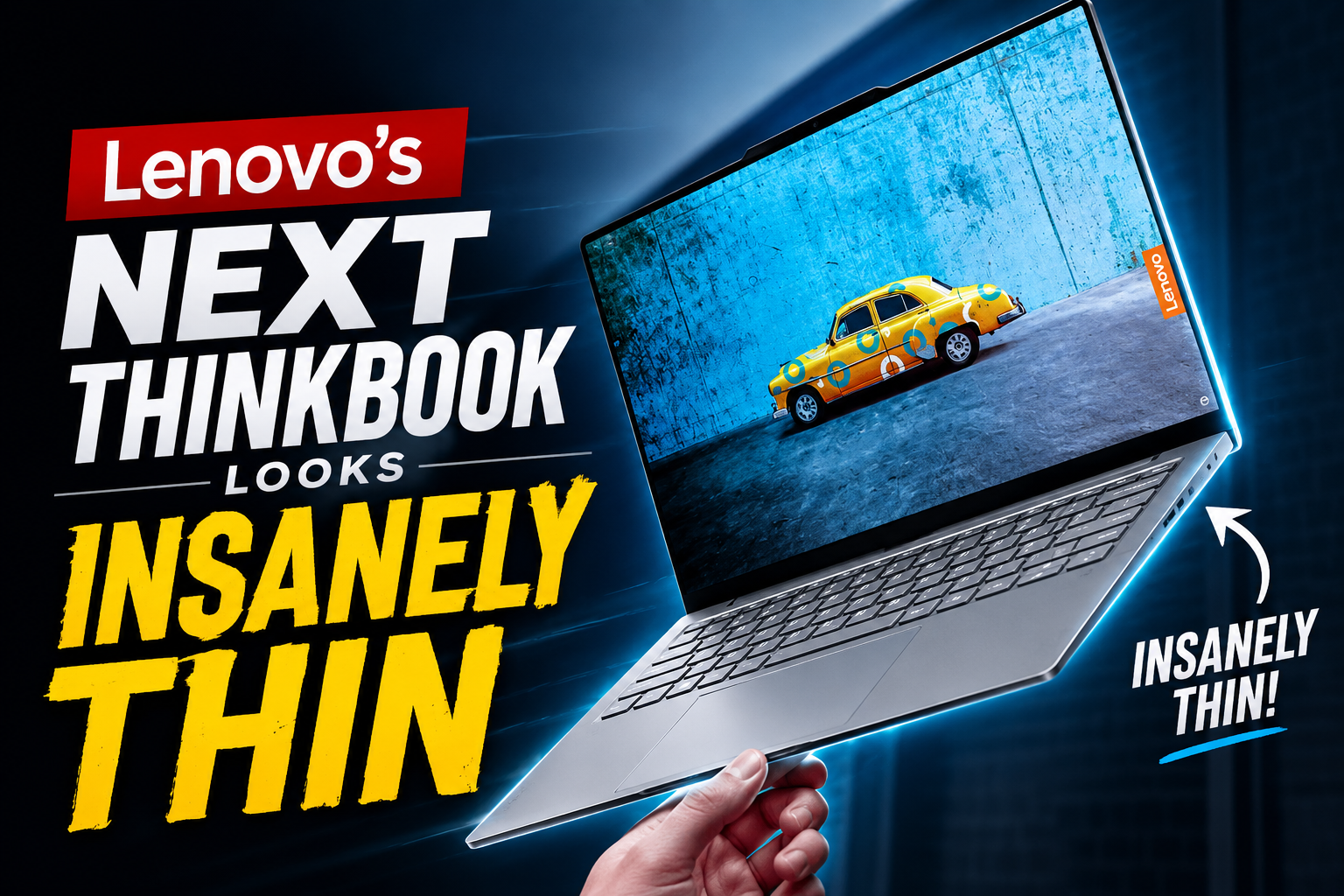
Lenovo seems to be exploring limitations of laptop design once more. The 2026 Aeroblade is an upcoming laptop which is going to be incredibly thin profile laptop has attracted various users attention, based on recently leaked marketing materials that Windows Latest was able to secure.
Lenovo’s ThinkBook collections, which is mostly targeted for small and medium-sized businesses, usually achieves a balance among high-end design and cost-effectiveness. Early pictures, nevertheless, show that the Aeroblade could be taking one step further.
(Just a little note: Acer also uses the trademark “AeroBlade” for the cooling technology in their Predator gaming laptops.)
2026 Aeroblade ThinkBook: Key Features and User Benefits
- Build Quality: The edges of the Aeroblade ThinkBook are constructed to be exceptionally congested and thin, the USB-C ports appear to fit very tightly within the chassis. In my observation, Lenovo appears to have slightly extended the Aeroblade design along the sides to accommodate the required space for USB-C ports and other cable connections.
- Keyboard Upgradation: The Aeroblade ThinkBook’s extremely thin chassis is complemented with a flatter keyboard design. In addition to suggesting a shorter key-travel feeling, the lowered key height maintains the laptop’s elegant appearance without making the keyboard feel too small.
- Screen: The lid’s unique two-tone metallic finish retains the ThinkBook’s iconic appearance. The webcam and Windows Hello face recognition sensors are located in the somewhat elevated top portion of the 16:10 display with thin side bezels up front.
The 2026 Aeroblade ThinkBook: (Key Features and User Benefits)
| Name | Expected Features |
| Status of Availability | Unreleased |
| Series Name | Lenovo ThinkBook Aeroblade |
| Build Profile | Ultra Thin |
| Operating System | Windows 11 With Copilot Key & Win Hello Notch |
| Processor (Expected) | Snapdragon X2 Series & Intel’s Panther Lake (Only Expected – Final Features are not announced yet) |
1. Build & Design Quality Matters
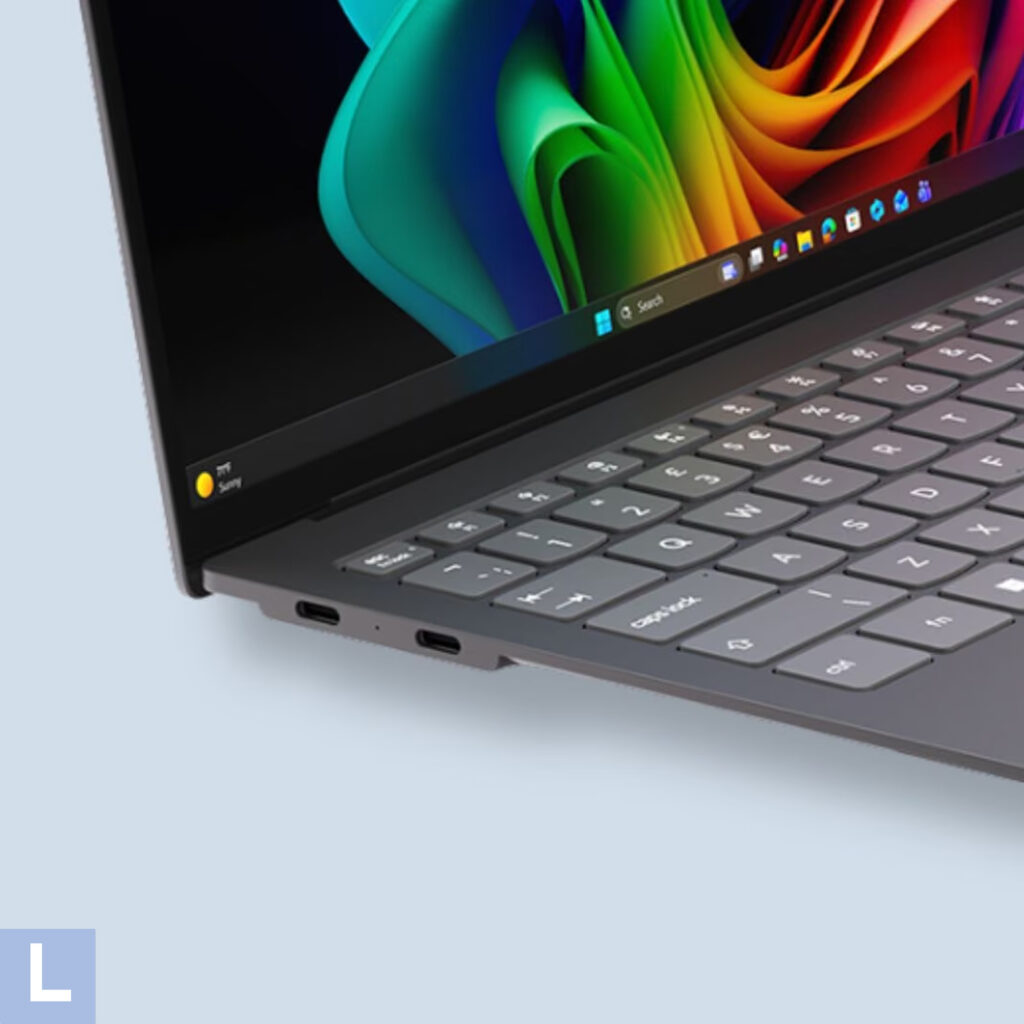
Lenovo’s effort to ultrathin laptop design seems to have advanced significantly with the release of the Lenovo ThinkBook “AeroBlade.” It blends the well-known ThinkBook design with a more contemporary way of improving screen area while still maintaining an extremely thin shell. Lenovo seems to have managed to cram a bigger viewing area and higher-resolution camera technology into an incredibly small profile by reconsidering the standard lid structure.
Key Features
- Ergonomic Single-Hand Opening: The ultra-thin lid can be handled more easily with one hand thanks to the built-in extending lip, which also acts as a handy grip for a smooth and straightforward lifting process.
- Biometric Hardware Suite: A high-definition camera and infrared sensors can be found in the raised top lip, enabling simple and quick Windows Hello facial recognition for safe access.
- High Screen-to-Body Ratio: The laptop is fairly easy to handle and Perfectly fit into a sleeve thanks to to the exceptionally tiny bezels around the display, which maximize the accessible screen area while maintaining a modest overall look.
- Dual-Tone Superior Finish: The lid has Lenovo’s trademark Dual-Tone Premium Finish, which blends the darker matte-finish lower section with a lighter brushed-metallic top piece to reduce the visibility of marks and dirt.
2. Flat Keyboard
To achieve such a tiny look, Lenovo seems to have reduced the keyboard’s key travel. Because the keycaps are almost flush with the deck, the keyboard feels similar to low-profile or deep travel keyboards. The configuration provides a dedicated Microsoft Copilot key for quick access to AI functions in addition to a large trackpad that adheres to Lenovo’s well-known ThinkPad and ThinkBook design style.
Key Features
- Reduced Key Travel: Because the keycaps are nearly level with the top deck, the key travel is significantly less than with traditional laptop keyboards. Because of this, the keyboard features a distinct, low-profile typing experience that is closer to tactile and quiet mechanics.
- Reserved Copilot Key: Now, This Single key gives users one-touch control over Windows Copilot, helping them to instantly start AI prompts, summarize text, and conduct all variety of automation and productivity activities.
- Glass Trackpad: A large precision glass trackpad with smooth scrolling and snappy multi-touch functionality sits beneath the keyboard, utilizing the bottom palm-rest area to its fullest.
- Responsive Keyboard Backlighting: By automatically adjusting the keyboard backlight to your environment, ambient light sensors improve visibility in low light while also extending battery life.
- Embedded Fingerprint Power Button: With a single touch, you can turn on the laptop and authenticate using Windows Hello thanks to the power button’s dual function as a fingerprint reader.
3. Pros & Cons of ThinkBook AeroBlade
Conclusion
Performance, battery life, and heat management have historically been issues with ultra-thin laptops. Newer chip designs, however, are altering that calculation. Efficient systems, like Qualcomm’s Snapdragon X2 and Intel’s Panther Lake, are well-suited for incredibly thin devices since they are made to provide robust performance while preserving superior battery economy. Still, Lenovo has not yet revealed the CPU that will power the ThinkBook AeroBlade.
Frequently Asked Questions – FAQ’s
What is Lenovo ThinkBook Aeroblade?
It is an unreleased Laptop Manufactured by Lenovo under ThinkBook Series. As Per Leaked Information, it has some incredible features.
What are the main features of Lenovo Laptops?
Lenovo laptops have a variety of features tailored to specific user demands, such as “functional keyboards, long-lasting battery life, quick charging, and up-to-date AI-powered CPUs.”
What processors and specs will the Aeroblade use?
The accurate features are yet to be opened. However, given the AeroBlade’s ultra-thin form and likely fanless cooling technique, it may use an efficient ARM-based CPU, such as Qualcomm’s Snapdragon X or X2 series, or a low-power x86 chip, such as Intel’s Panther Lake.
Laptops Buyers Guide For Beginners
TO-THE-POINT: Purchasing a suitable laptop based on your requirements, price, and workload, not just the CPU name.
Before We Jump into laptop specifications and prices, we need to clarify for what purpose you are going to use laptop for:
| End-Users | Things To Consider |
| 🎓 Students | Battery Life, 16GB RAM, excellent keyboard typing experience and lightweight |
| 👨💻 Web Development | Battery Life, CPU Performance, 32GB RAM & 512GB SSD, easy-to-carry |
| 🎨 Graphic Design | Good Color Display, CPU Performance, 16GB RAM & Video Card |
| 🎮 Gaming | Excellent Processing Power, high refresh rate,16GB RAM & Video Card is enough |
| 🏠 Everyday Use | Great Battery Timing, Comfortable Display Quality and Fastest SSD |
At Laptops Engine, we help you choose smarter — not just newer.