Wondering where to find a perfect laptop buying guide? Well, Laptops Engine has you covered!
Choosing a laptop is perhaps more challenging than ever. But if you know about the right specs and information you need, it becomes very easy to go for one that is within your budget and covers your needs. No matter if you’re just a beginner user, a gamer, or just a student.
Before jumping further into the details, we’ll let you know that laptops come in various ranges of sizes, processors, and prices to choose from. If you’re interested, follow my buying guide that will help you get the right one.
LAPTOP BUYING GUIDE: 5 ESSENTIAL TIPS TO CHOOSE THE RIGHT LAPTOP
- Screen Size: If you’re a traveler and spend most of the time away from a desk, then a 13-14-inch laptop screen will be a good choice. Big screens are also great if you are using them at the office or on the desk and give a good user experience.
- Processor: Any device, whether it’s a laptop, computer, mobile, or anything else, needs a processor. The Intel Core Ultra 5 is a wonderful option if you are a beginner and want great performance at a reasonable price; however, AMD is also a good brand to consider. The Ryzen series is an excellent place for beginners to start. For beginners, I would suggest the AMD Ryzen 5 5500 (6-Core, 12-Thread, AM4) processor, which costs between $90 and $110 on Amazon.
- RAM: If the processor is the main component of any device, then RAM also plays the most important role in storing content, and also if the RAM is low, then a user can face a lag while browsing, processing, etc. Good RAM will give users more room to experience its performance. I’d recommend getting at least 16GB RAM if it’s not exceeding your budget limit.
- Battery Life: As we discussed, it is about as important as the other core components of a PC/laptop. How can we forget about battery life? A laptop with decent battery backup can give you a full day of use with minimal usage if you’re a basic user.
- Convertible Laptop: As time goes on, many users are switching from normal laptops to convertible 2-in-1 laptops, as they are more handy and lightweight, which makes your work smooth on the go.
BREAKING DOWN TYPES OF LAPTOPS
Below here we’ll give you a short list where you can find types of laptops that are available in the market. Choosing one from them is the real challenge. Let’s break them down!
Type | Key Features | |
1 | Commonly Used Laptop | Good for Basic Computing |
2 | 2-in-1 Convertible Laptop | Benefits of Tablet & Laptop (All-in-One) |
3 | UltraBook & Lightweight Laptop | Lightweight & Easy-to-carry |
4 | Gaming Laptop | Perfect Fit for Gamers, High-Performing Laptops |
5 | Business Laptop | Suitable for Productive Users |
6 | Workstation Laptop | Professional Work Made Simpler |
7 | ChromeBook | Lightweight and Professional OS. |
8 | Student Laptop | For Student Users Only (to learn and be the best in affordability) |
1. CHOOSE AN OPERATING SYSTEM (OS)
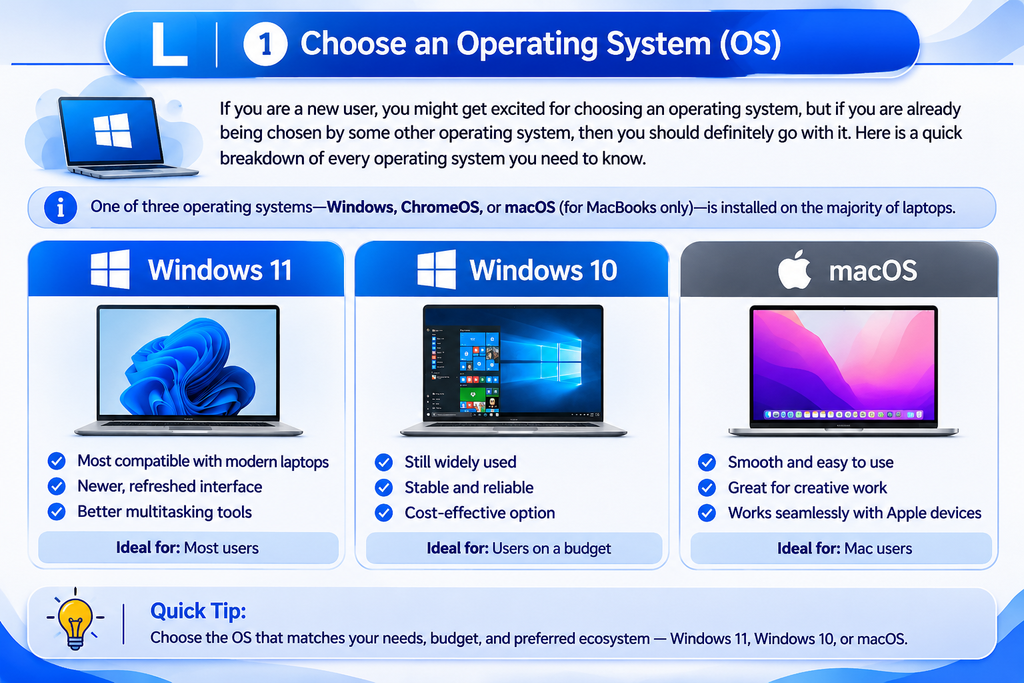
If you are a new user, you might get excited about choosing an operating system, but if you are already being chosen by some other operating system, then you should definitely go with it. Here is a quick breakdown of every operating system you need to know.
One of three operating systems—Windows, ChromeOS, or macOS (for MacBooks only)—is installed on the majority of laptops.
Windows 11 vs. Windows 10
In contrast to macOS or ChromeOS, Windows 11 is the most compatible operating system available for laptops. Basic devices start at less than $150, but special builds can cost hundreds of dollars. You may get dual graphics chips, touchscreens, or fingerprint readers depending on the model. With a refreshed interface and productivity tools such as quick window layouts for fast split/arrangement, Windows 11—Microsoft’s newest flagship operating system—improves upon Windows 10.
Not long ago, most laptops shipped with Windows 10. Microsoft ended support for it in October 2025, so new laptops now include Windows 11 preinstalled. That’s a real advantage for customers: the device is already protected, so you don’t have to purchase a separate license after buying.
Since October 2021, Microsoft has continued to enhance Windows 11. Later upgrades added several helpful features, including improved battery management, Do Not Disturb, and Focus Sessions. Research I conducted shows that Windows 11 laptops are an ideal option for everyday users and students.
macOS
Apple’s operating system, macOS, is installed on every MacBook. It relies on a dock of programs at the bottom of the screen in place of a Start menu and taskbar. These days, AI is included in all major platforms; on Mac, it’s called Apple Intelligence. In addition, Mac users can use an Apple Watch to unlock their laptop, use Apple Pay to make payments, and accept iPhone calls and messages on their Mac, which is a very handy feature in Apple’s OS.
Despite its user interface, macOS is notable for its seamless device integration. As MacBooks are powered by Apple’s own CPUs, they are typically quick, silent, and have a long battery life. Along with free creative tools like iMovie and GarageBand, the system also includes functional apps like Mail, Photos, Messages, and Safari for browsing. With features like FileVault disk encryption and Gatekeeper, which actually validates software before launch, security is also integrated. While major macOS updates are free, your MacBook will always receive security patches and new features.
ChromeOS
Another operating system that Google owns is called ChromeOS, but it is far less feature-rich than Windows and macOS. For ease of use, ChromeOS is closer in style to the Windows interface; however, Google designed it with a greater focus on its Chrome browser. Numerous Android apps may be run on Chromebooks, including those made by Lenovo.
Currently, Chromebooks are more common than basic laptops because of their better performance and flexibility. They are mostly utilized by professionals, trainers, and students because their security mechanisms are difficult to compromise. Additionally, the screens of Chromebooks are crisper and clearer than those of a normal laptop, as they provide a good viewing experience for every user.
2. NORMAL LAPTOP OR 2-IN-1 LAPTOP
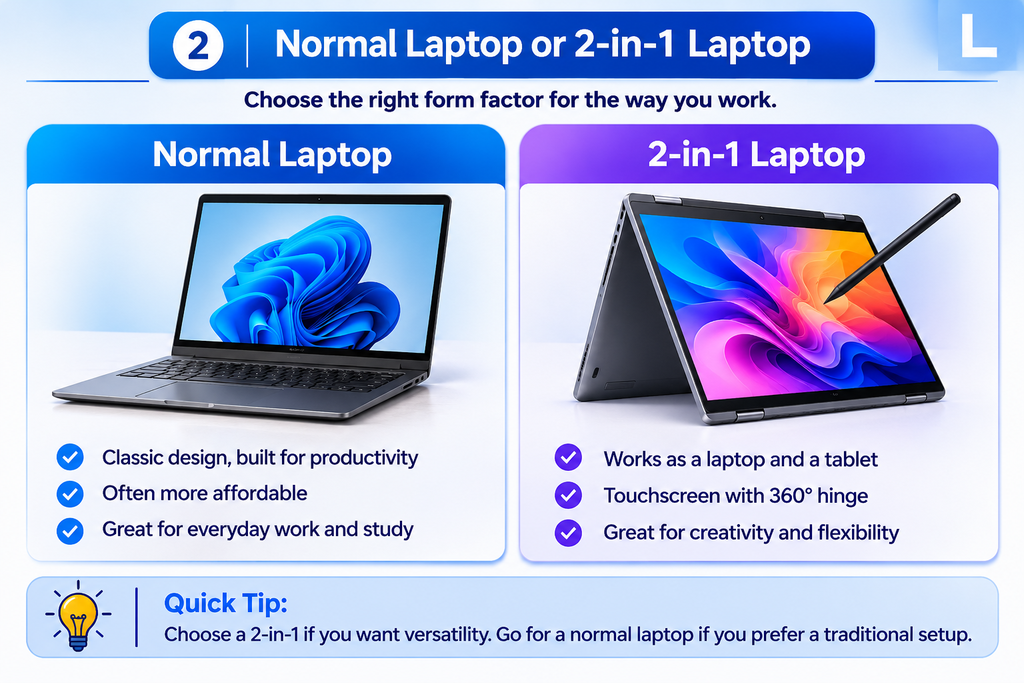
Nowadays, a lot of laptops are being made into 2-in-1s, which are dual-purpose devices that can transition from a regular laptop to a detachable tablet due to their touchscreen feature. This means that they can be completely detached from the keyboard and have hinges on the sides that allow users to bend the screen 360 degrees to change modes.
As we discussed, 2-in-1s come in two primary types. As long as you don’t need to type, you can carry just the tablet, since detachable 2-in-1s include a tablet screen that is totally separate from the keyboard with Just One Click. Convertible 2-in-1s enable you to fold the laptop into tablet mode, tent, or stand mode by using a hinge that bends 360 degrees while keeping the screen fixed.
For people who primarily type, manage worksheets, or want the best efficiency for what they spend, a standard laptop often becomes a preferable option. Regular laptops tend to provide better cooling, a more functional keyboard, and a more robust design. Furthermore, considering that you are not paying for a touchscreen and an extra-complicated hinge, they usually cost less than a 2-in-1 with similar features.
How to figure out: If you desire ease, power, and low cost for regular typing and work, go with a regular laptop. If you often write, sketch, or switch between using a laptop and a tablet, consider a 2-in-1.
3. LAPTOP SCREEN SIZE, RESOLUTION, AND PORTABILITY
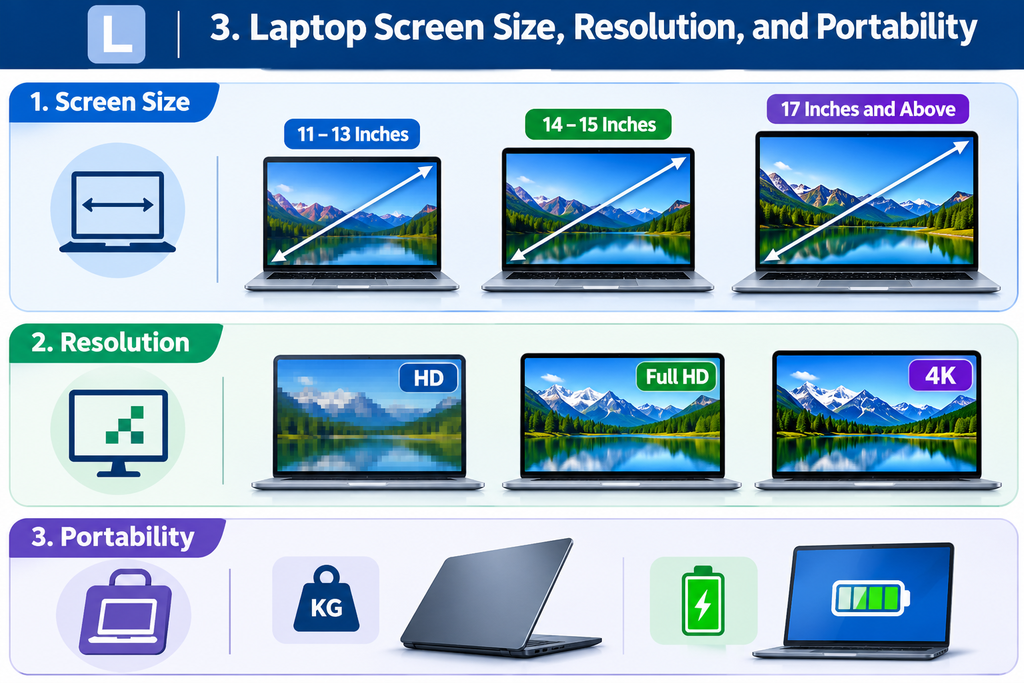
Knowing screen size, quality, and flexibility is essential when choosing a laptop to make sure you get a device that suits your needs.
1. Screen Size
Laptop performance is significantly affected by the screen size. Laptops often range in size from 11 to 17 inches.
- 11-13 inches: These smaller displays are excellent for employees or learners who are often on the road because they are handy. They are suitable for travel since they are portable and light.
- 14-15 inches: This size maintains a balance between use and portability. For an average user who seeks a comfortable viewing experience without losing too much mobility, it is a preferred option.
- 17 inches and above: Larger displays are better for graphics-intensive tasks like gaming, video editing, and graphic design, as they offer more space for capturing fine detail. Portability is a choice. Laptops with bigger screens are more challenging for folks who travel or commute frequently, since they weigh more and take up more room in a backpack.
2. Resolution
The number of pixels that can be seen on the screen is known as resolution, and it has an immediate impact on how crisp and clear the images are. Typical resolutions include the following:
- HD (1366 x 768): This is the most basic resolution available, and affordable laptops often include it. It will not provide the finest image for games or movies, but it can perform everyday tasks like word processing and web browsing without difficulty.
- Full HD (1920 x 1080): This resolution delivers a much crisper, clearer image and is now common on almost every kind of laptop. It operates well for running many windows side by side, playing games, and streaming media.
- 4K (3840 x 2160): Most premium laptops sometimes come with 4K screens, which provide remarkable resolution and are ideal for designers or editors who work with graphics or edit videos. The drawback is that 4K-screen laptops require more technology and degrade batteries more quickly.
3. Portability
Someone who travels a lot or works remotely needs a laptop that is portable. Two considerations should be explored when analyzing a laptop’s portability: weight and battery life.
- Weight: On average, laptops weigh 2-6 pounds. Laptops used for gaming (Gaming Laptops) are often heavier because of their powerful components, while ultrabooks and lightweight ones are specifically designed primarily for easy carrying.
- Battery Life: You can work or game on a laptop with an extended battery life without bothering to look for a power source all the time. For one full day of use, seek out laptops with a battery life of at least 8 hours of use.
In conclusion, the best laptop is defined by whether or not the screen size, resolution, and mobility suit your needs and work style. A lightweight device will work best for you if you travel commonly. Go for bigger-screen laptops if you want a more immersive screen for movies, gaming, or graphics. You may make trustworthy purchases by balancing these aspects with what you need.
4. CHOOSING THE RIGHT KEYBOARD AND TOUCHPAD
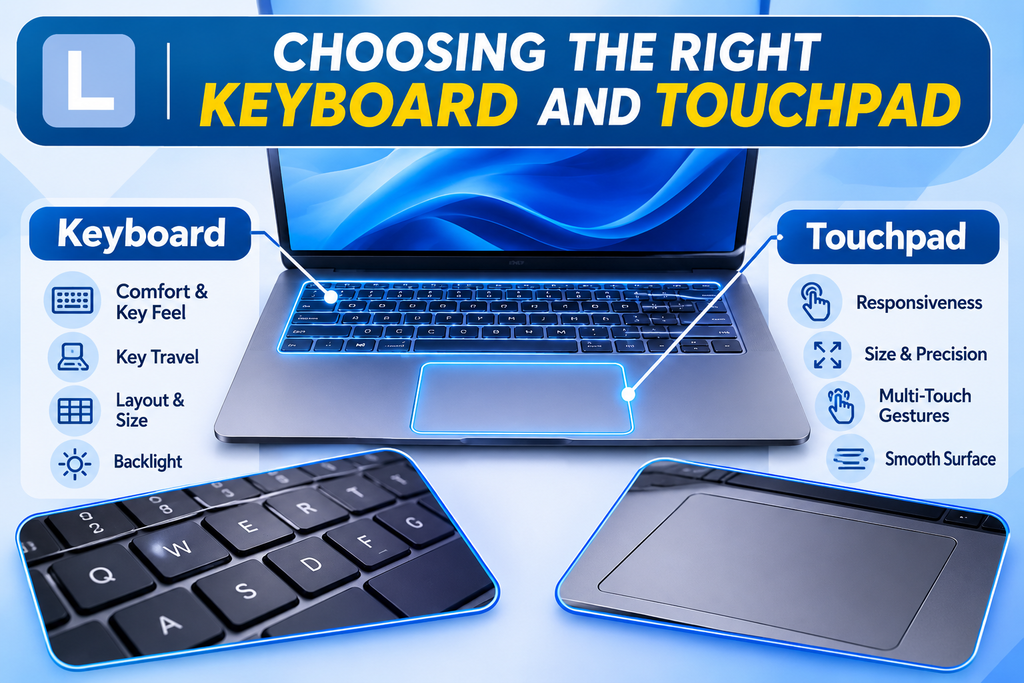
The keyboard and touchpad on your laptop will be used more than practically any other part, even though they are sometimes forgotten when comparing specs. While a snappy touchpad ensures quick access, a convenient keyboard makes writing, messaging, and projects simple. In contrast, poor keyboard quality can make routine jobs simply frustrating.
1. Keyboard
Consider comfort first. A good keyboard should have a solid, sturdy feel and sufficient key travel, or how far each key travels when pressed. Certain users prefer the lower keys on slim computers, whereas others can find them uncomfortable when typing for a long amount of time. Additionally, pay close attention to the keyboard layout. Typing can be slower if the arrow keys are cluttered, the Shift key is narrow, or the keys align oddly.
If you frequently work in dark spaces, on planes, or late at midnight, a backlit keyboard can be a helpful feature. A full-sized keyboard with a specialized numeric keypad—typically seen on laptops with 15-inch or bigger displays—should be considered if your profession requires spreadsheets or regular number entry. The numeric keypad is often removed from smaller laptops to maintain their compact form.
2. Touchpad
A suitable touchpad should be perfectly responsive, feel smooth, and give sufficient room for three-finger swipes, pinch-to-zoom, and two-finger scrolling. Moreover, Glass touchpads usually feel more comfortable compared to plastic versions, and with that, daily navigation is made super easy by a consistent, steady click over every area.
A smart touchpad that is compatible with the operating system’s native gesture suite must be given top consideration when choosing a Windows 11 laptop; this feature improves navigation speed and ensures a far more reliable user experience.
5. PICKING YOUR SPECS ON A BUDGET
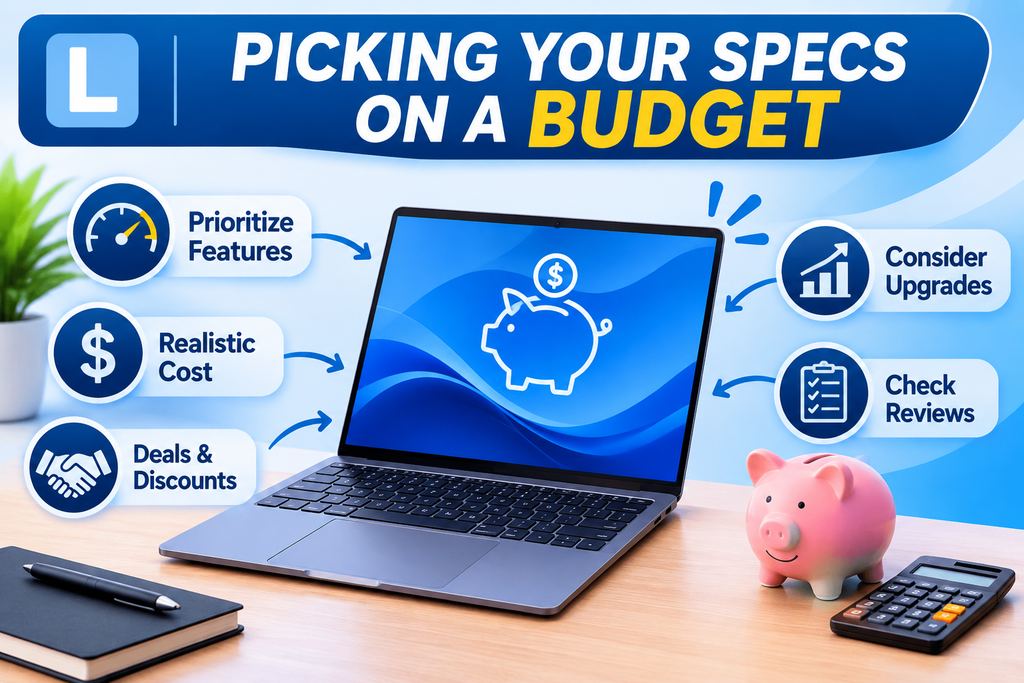
It is important to find an appropriate balance between functionality and cost when picking laptop specifications on a tight budget. The following important factors must be carefully examined:
- Prioritize Key Features: Pay close attention to what you truly want. You are unlikely to need a high-end GPU or the latest processor if you are a basic user.
- Realistic Cost: Whenever you go purchasing, consider how much you are prepared to spend. This prevents you from going over budget and enables you to reduce your options.
- Deals & Discounts: Search for sales events, student deals, or refurbished devices that could offer major savings without compromising quality.
- Upgrades: Analyze how your usage can change gradually. Your laptop’s longevity can be extended by considering a modest RAM or storage purchase.
- Check Reviews: In order to be assured you are obtaining the highest possible price for your money, check reviews and compare the prices before selecting.
You can find a laptop suitable for your needs without going over cost if you carefully consider these!